



D
Deleted member 323134
Iron
- Joined
- Jan 17, 2026
- Posts
- 58
- Reputation
- 72
This should be sent to newcomers when they create an account. Great tutorial, mirin effortHey! You're probably new here, or you're an old user, but regardless, this thread will definitely help you..
View attachment 4613923
This thread will be divided into two categories:
1. The best settings you can make
2. How to browse the forum like a pro on your desktop and phone (engage with threads/other users and search for things on the forum)
So, let's start with:
1. The best settings you can make
So you probably just spawned here (like you just had your account approved by staff), you are on your PC / laptop, and what you see is this..
View attachment 4613325
What you see here is a big no-no, so I suggest you first press "Ctrl" and "+" to zoom in on the page to 110%, to make the page larger and more visible, because there is no reason not to do so
The next thing is to click on your profile, and click on account details to configure your account settings
View attachment 4613945
Here you can select your Avatar for the forum, a square photo or a GIF that is also square (if the avatar is not exactly square, you can "drag" it into various positions to achieve the desired shape that will be seen in the end), which I advise you to have the best possible quality in terms of pixels
(For large GIFs, I recommend limiting their duration to a maximum of 10 seconds, keeping them as close to 60 FPS as possible, and limiting their size to 50 MB. Also, when you upload a large GIF, there is a good chance that the forum will give you an error after you upload it after a while, but eventually the forum will accept it, especially if you upload it again after the error)
For the Profile banner, I recommend using an image/GIF that matches the color of your username / avatar
Some examples of cool avatars with cool banners that would go well with them are below:


Custom Title is a personalized text that will always appear on your profile / when you write something on the forum, under your avatar. For him, I recommend writing something cool/short/that defines you
The rest of the options should remain blank, but if you want, you can enter a cool city / country name in the Location field, and that name will appear on your profile when someone visits your profile or clicks on your name
Now, on the left side of the page, we will click on the Privacy section
Below are my settings (if you need maximum privacy, you can select "nobody" for the four categories under "Allow users to" at the bottom, but if you are an active forum user and like to engage with other users, I still recommend my settings)
Don't forget to click save at the bottom of the page to save them
View attachment 4613458
The next step is to click on Preference on the left side of the page to make the necessary changes there (my settings are below, and I will discuss the most important ones)
View attachment 4613428
For style, I suggest using "Looksmax Modern Dark" because, in my opinion, it is the best
Privacy options are a very important setting because it gives you a good level of privacy, which I recommend you have, otherwise your activity on the forum will be very transparent to any user on the forum who clicks on your name or looks at your profile
Search Options are very important to have at Most Recent to see the relevant threads as quickly as possible
At Receive a notification when someone, you should have them all checked, which is why I didn't include a picture of them
The next step is to click on Signature on the left. Here you can add either text or one or more images, a link to one or more images / GIFS, a link to one or more videos, or a combination of these, which will appear at the bottom of any post you make on the forum. This is completely customizable, and you decide what to put here
That's all for this category, so let's move on to the next one:
2. How to browse the forum like a pro on your desktop and phone (engage with threads/other users and search for things on the forum)
Before we get into this category, we need to understand why you are literally entering this forum, why you are accessing this site in the first place, what the outcome is...
So, I have divided the reasons into 4 categories:
1. I want to root on the forum (view posts/new posts, create threads/comments, interact with users, etc.)
2. I want to lurk on the forum (so you don't post anything or almost anything, just scroll and read whatever)
3. I want to search for and find out something specific related to looksmaxing, without being interested in anything else related to the forum
4. A combination of the above, depending on how I feel at any given moment
For all these categories, I will show you how to browse this forum in the most efficient way:
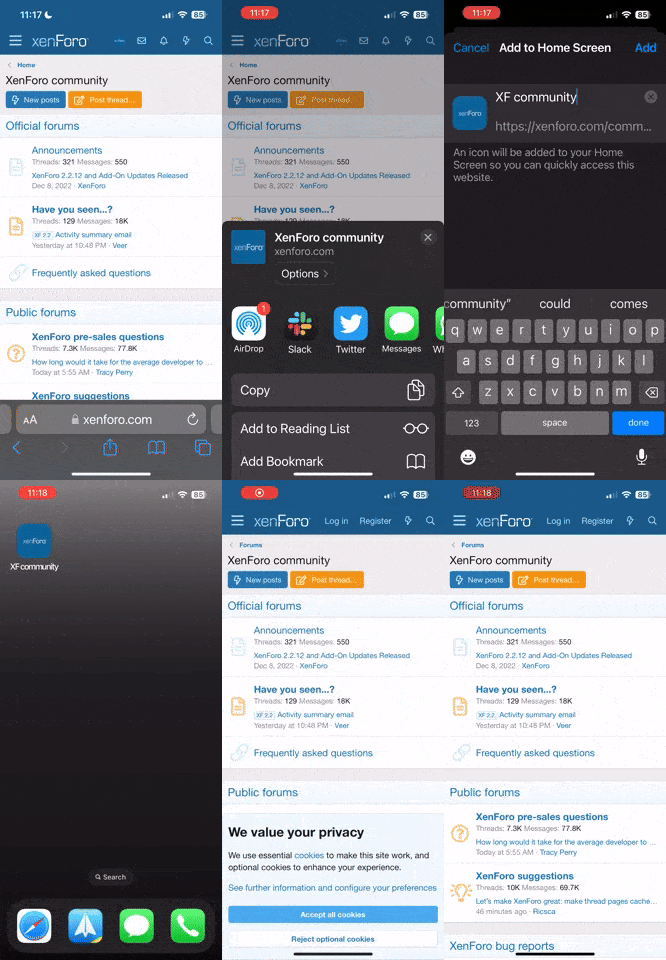
First of all, if you're on your phone, I recommend using desktop mode
Now let's go back to the desktop (PC/laptop) and see what to do
You open the forum's main page. Now, what's the next step?
View attachment 4613680
The first thing to do, depending on your keyboard, is to use the "Home" and "End" buttons on the right side of the keyboard. If you don't have them, use "PgUp" or "Pg/Dn". If you don't have those either, use the up or down arrows or zoom in with the mouse (the slowest method)
These buttons will help you navigate quickly and easily throughout the forum page, wherever you are on it
So, once you are on the main page when you enter the forum, perhaps for the first time that day, you want to press the "End" button to instantly go to the bottom of the page to see the next thing that interests you:
At the bottom of the page, you will see these numbers, and the number that interests you most is this one, called "Looksmaxers"
View attachment 4613687
This number represents how many users who have accounts on the forum are currently online on the forum. It basically represents how active the forum is right now (how many threads are made / comments / engagement in general)
This number is very important because it indicates certain things that will greatly influence your experience on the forum at a given time of day, from points of view such as:
1. If I make a comment, how likely it is users will engage with him (there will be users who respond to me / offer me a rep because I made it)?
2. If I make a thread, how likely it is users will engage with him (there will be users who respond to me / offer me a rep because I made it)?
3. If I scroll through the forum, how likely am I to find something interesting/funny to read?
The answer to these questions is strictly and directly related to/influenced by this number of Looksmaxers
The higher this number is, the more likely people are to engage with you and the more likely you are to find new cool stuff on the forum. The lower it is, the less likely this is to happen
What exactly does that mean? It means that there are times of the day when, theoretically, you would prefer not to visit the forum (because it is not very active), and there are times of the day when it is very good to visit the forum (because it is very active)
Of course, you can lurk anytime, but don't expect to get much engagement on the forum if you post something during off-peak hours
My general recommendation is as follows:
- You want this number of Looksmaxers to be above 1200
- This number or more happens daily, in a relatively short window of 6-8 hours, which is between around: 5 pm (17:00) UTC to 1 AM UTC (convert these numbers to your local time wherever you are in the world to find out when is the best time of day to visit the forum)
Okay, let's continue. Now that you've clicked "End" and seen that there are over 1,200 active users, what's the next step?
Press the ''Home'' button to go to the top of the page, and there are 3 main buttons that you will use most often throughout your time on the forum:
1. The Looksmax.org Logo
View attachment 4613747
..or this one below when you scroll down a little..
View attachment 4613749
This button, no matter where you are on the forum, is the largest button that takes you directly to the forum's main page, very quickly and efficiently
2. The "New Posts" button
View attachment 4613754
This button will take you to the page with new forum posts, regardless of category. It is the best button for seeing the latest forum posts as soon as possible, and should be your main method for browsing the forum in general
3. The "Trending" button
View attachment 4613762
It is one of the most Op and underrated buttons on the forum
When what you see on new posts is boring or you are not satisfied with the content there, the Trending page is the right place for you. There you have the best chance to see the coolest threads made recently, and you can access them very easily and quickly from there
So, in short, a day of interaction with the forum should follow these steps:
1. See if there are many users online
2. If there are enough, you can navigate around the three buttons above, enter the threads, and use the buttons on the keyboard that I mentioned to quickly navigate the thread / comments / profiles, etc.
3. Repeat
The next step I want to talk about is how you can personally increase your chances of getting engagement on the forum (getting more interaction, both for your account and for the content you create, and by interaction I mean thread views, comments, reps, people writing on your profile, people following you, etc.)
The steps are quite simple and short:
1. You must have a fairly unique / iconic / easily recognizable Avatar and Signature
View attachment 4614050
2. You need to have a relatively decent name that is fairly easy to recognize
(for the above, you can draw inspiration from successful users, moderators, users with a good posts to reps ratio, or those who have very popular threads/attract a lot of attention)
3. Become popular and gain visibility -> write cool/funny/cute things to users on their profiles, be very active in comments in threads, give reps to comments and threads you find cool, respond nicely and chill to users who write to you on your profile or engage with you in general
View attachment 4614054View attachment 4614064
4. Create cool and unique/funny threads with appropriate titles (get inspiration from BOTB/Trending threads on how to write a title that will bait engagement) where you can write interesting things/use cool media (videos and pictures), and do them as much as possible within the time frame I suggested above
View attachment 4614069
View attachment 4614072
Now I want to talk about the last part of this thread, namely how to effectively search for anything, but specifically things related to looksmaxing
First, you have the three broad categories that should be the first general theory you need (BOTB, Looksmaxing, and Looksmaxing Questions)
View attachment 4613869
After reading the basics, and if you want to find out something more specific, you can use the search function
View attachment 4613873
My recommendation is as follows:
1. Find keywords related to what interests you
2. Find reliable users (the most popular/prevalent ones you noticed after browsing threads in the three categories above, BOTB & Looksmaxing)
3. If you are unsure about a user, go to their profile in the "About" section and see how many followers they have, which is a pretty good indicator of whether that user has any credibility at first glance
4. Use the "Advance Searching" option, listing the users you trust, use keywords related to the desired topic, select whether you want to find anything or just threads, and use the "Date" option to see the latest/updated opinions/topics on that topic.
View attachment 4613891
View attachment 4613904
That's all
I hope this thread has been helpful!
If yes, please leave a comment below, and perhaps tag another user who may be newer and could benefit from this thread
@BigBallsLarry @TechnoBoss @Nexom @Orka @Aryan Incel


