Tomulus16 Iron Joined Oct 19, 2025 Posts 201 Reputation 72 Oct 30, 2025 #1 Weird question but how do I put gifs on my pfp and how to you edit the background that pops up when you click on sb’s profile.
Weird question but how do I put gifs on my pfp and how to you edit the background that pops up when you click on sb’s profile.
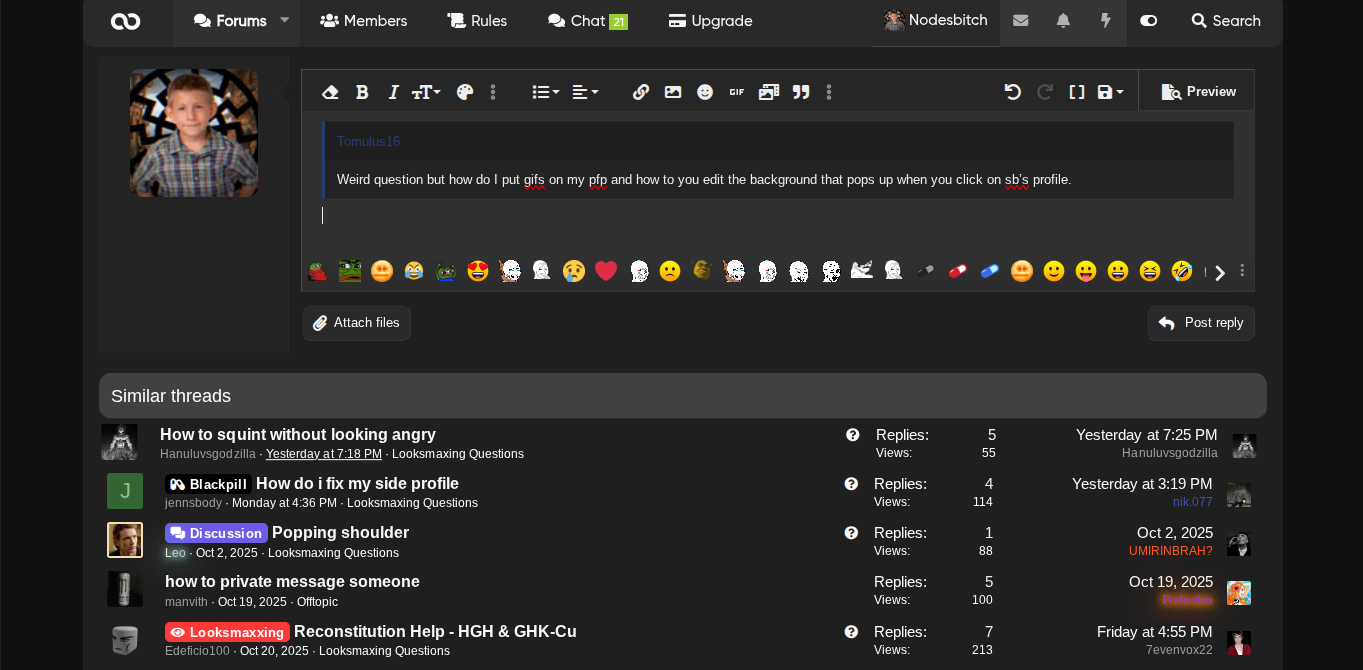
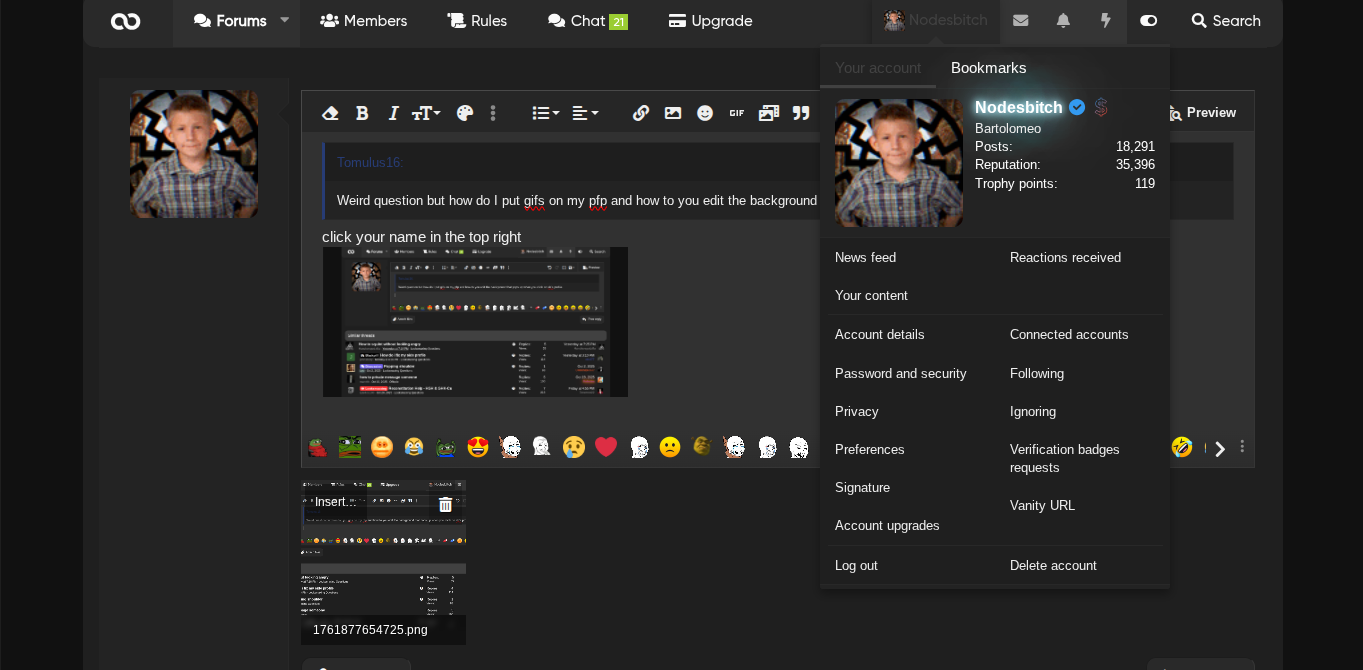
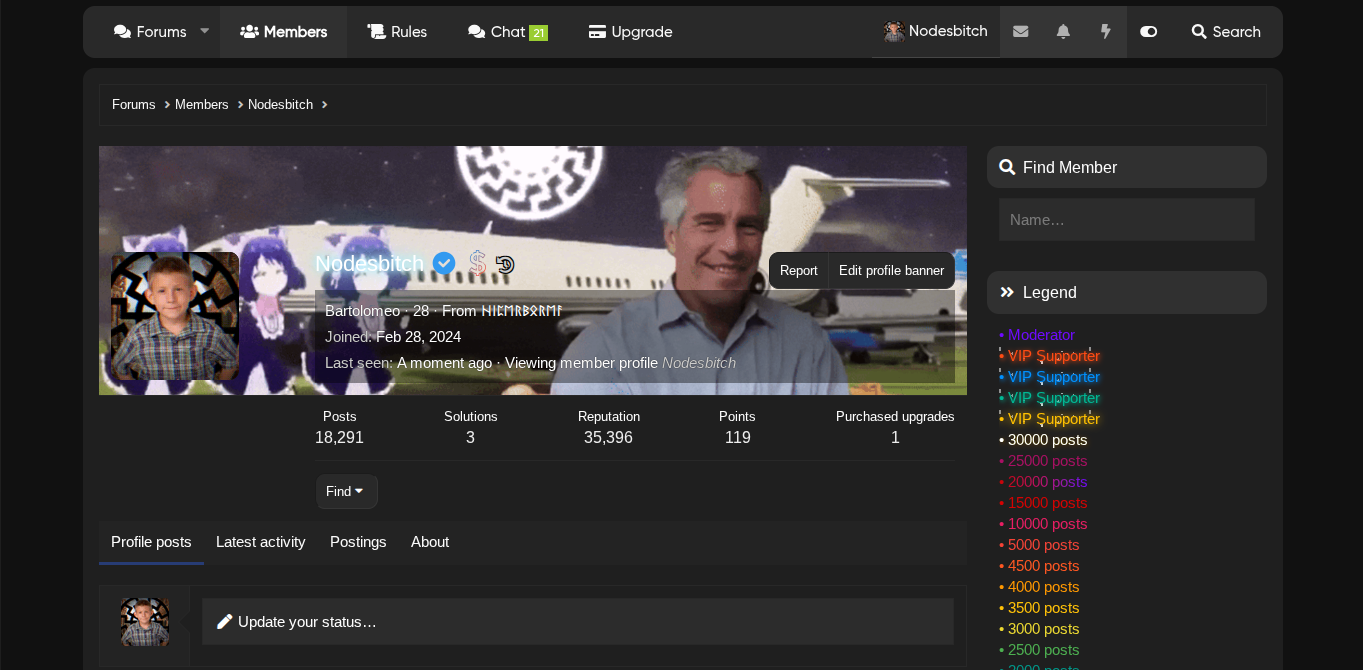
Solution got.daim Oct 30, 2025 Tomulus16 said: Weird question but how do I put gifs on my pfp and how to you edit the background that pops up when you click on sb’s profile. Click to expand... click your name in the top right if you hover over your PFP, you can change it for the banner, repeat the steps but instead of clicking your picture, click your name then press edit banner for the gifs you just have to make sure the img format is .gif would be a great help if you marked this as the solution btw!
Tomulus16 said: Weird question but how do I put gifs on my pfp and how to you edit the background that pops up when you click on sb’s profile. Click to expand... click your name in the top right if you hover over your PFP, you can change it for the banner, repeat the steps but instead of clicking your picture, click your name then press edit banner for the gifs you just have to make sure the img format is .gif would be a great help if you marked this as the solution btw!
D Deleted member 99272 3rd Acc since 2022 | CL 5'11.5 23 inch bidelt Joined Oct 9, 2024 Posts 5,468 Reputation 5,273 Oct 30, 2025 #2 Tomulus16 said: Weird question but how do I put gifs on my pfp and how to you edit the background that pops up when you click on sb’s profile. Click to expand... its literally just up near your user its not hard bro Upvote 0 Downvote
Tomulus16 said: Weird question but how do I put gifs on my pfp and how to you edit the background that pops up when you click on sb’s profile. Click to expand... its literally just up near your user its not hard bro
Tomulus16 Iron Joined Oct 19, 2025 Posts 201 Reputation 72 Oct 30, 2025 OP #3 IrishSlayer1483 said: its literally just up near your user its not hard bro Click to expand... Does that work on my phone Upvote 0 Downvote
IrishSlayer1483 said: its literally just up near your user its not hard bro Click to expand... Does that work on my phone
D Deleted member 99272 3rd Acc since 2022 | CL 5'11.5 23 inch bidelt Joined Oct 9, 2024 Posts 5,468 Reputation 5,273 Oct 30, 2025 #4 go to your account details and pm me your email and password and ill do it for you pinky promise Upvote 0 Downvote
D Deleted member 99272 3rd Acc since 2022 | CL 5'11.5 23 inch bidelt Joined Oct 9, 2024 Posts 5,468 Reputation 5,273 Oct 30, 2025 #5 Tomulus16 said: Does that work on my phone Click to expand... ill just help you Upvote 0 Downvote
Tomulus16 Iron Joined Oct 19, 2025 Posts 201 Reputation 72 Oct 30, 2025 OP #6 IrishSlayer1483 said: go to your account details and pm me your email and password and ill do it for you pinky promise Click to expand... son Upvote 0 Downvote
IrishSlayer1483 said: go to your account details and pm me your email and password and ill do it for you pinky promise Click to expand... son
savage21 . Joined Jul 2, 2025 Posts 5,054 Reputation 10,520 Oct 30, 2025 #7 Tomulus16 said: Weird question but how do I put gifs on my pfp and how to you edit the background that pops up when you click on sb’s profile. Click to expand... Click on your avatar at the top and click on your name. On your profile it should say edit profile banner and should have an edit sign on the pfp Upvote 0 Downvote
Tomulus16 said: Weird question but how do I put gifs on my pfp and how to you edit the background that pops up when you click on sb’s profile. Click to expand... Click on your avatar at the top and click on your name. On your profile it should say edit profile banner and should have an edit sign on the pfp
D Deleted member 99272 3rd Acc since 2022 | CL 5'11.5 23 inch bidelt Joined Oct 9, 2024 Posts 5,468 Reputation 5,273 Oct 30, 2025 #8 Tomulus16 said: son Click to expand... Upvote 0 Downvote
D Deleted member 99272 3rd Acc since 2022 | CL 5'11.5 23 inch bidelt Joined Oct 9, 2024 Posts 5,468 Reputation 5,273 Oct 30, 2025 #9 savage21 said: Click on your avatar at the top and click on your name. On your profile it should say edit profile banner and should have an edit sign on the pfp Click to expand... First L savage i could've done it for him Upvote 0 Downvote
savage21 said: Click on your avatar at the top and click on your name. On your profile it should say edit profile banner and should have an edit sign on the pfp Click to expand... First L savage i could've done it for him
D Deleted member 219514 Bc2 wf2 Joined Sep 1, 2025 Posts 347 Reputation 218 Oct 30, 2025 #10 Tomulus16 said: Does that work on my phone Click to expand... Pfp and background won’t help you repmax Upvote 0 Downvote
Tomulus16 said: Does that work on my phone Click to expand... Pfp and background won’t help you repmax
Tomulus16 Iron Joined Oct 19, 2025 Posts 201 Reputation 72 Oct 30, 2025 OP #11 IrishSlayer1483 said: ill just help y Click to expand... Dimorphic said: Pfp and background won’t help you repmax Click to expand... Upvote 0 Downvote
IrishSlayer1483 said: ill just help y Click to expand... Dimorphic said: Pfp and background won’t help you repmax Click to expand...
D Deleted member 99272 3rd Acc since 2022 | CL 5'11.5 23 inch bidelt Joined Oct 9, 2024 Posts 5,468 Reputation 5,273 Oct 30, 2025 #12 Tomulus16 said: Click to expand... you look like bebe pre ascension chalom but not turkish top pick on right Upvote 0 Downvote
Tomulus16 said: Click to expand... you look like bebe pre ascension chalom but not turkish top pick on right
got.daim 𝙰𝚗 𝚎𝚗𝚝𝚑𝚛𝚊𝚕𝚕𝚎𝚍 𝚊𝚐𝚎 Joined Feb 28, 2024 Posts 21,597 Reputation 43,425 Oct 30, 2025 #13 Tomulus16 said: Weird question but how do I put gifs on my pfp and how to you edit the background that pops up when you click on sb’s profile. Click to expand... click your name in the top right if you hover over your PFP, you can change it for the banner, repeat the steps but instead of clicking your picture, click your name then press edit banner for the gifs you just have to make sure the img format is .gif would be a great help if you marked this as the solution btw! Upvote 0 Downvote Solution
Tomulus16 said: Weird question but how do I put gifs on my pfp and how to you edit the background that pops up when you click on sb’s profile. Click to expand... click your name in the top right if you hover over your PFP, you can change it for the banner, repeat the steps but instead of clicking your picture, click your name then press edit banner for the gifs you just have to make sure the img format is .gif would be a great help if you marked this as the solution btw!
Tomulus16 Iron Joined Oct 19, 2025 Posts 201 Reputation 72 Oct 30, 2025 OP #14 IrishSlayer1483 said: you look like bebe pre ascension chalom but not turkish top pick on right Click to expand... hope I can ascend like him Upvote 0 Downvote
IrishSlayer1483 said: you look like bebe pre ascension chalom but not turkish top pick on right Click to expand... hope I can ascend like him
got.daim 𝙰𝚗 𝚎𝚗𝚝𝚑𝚛𝚊𝚕𝚕𝚎𝚍 𝚊𝚐𝚎 Joined Feb 28, 2024 Posts 21,597 Reputation 43,425 Oct 30, 2025 #15 Tomulus16 said: hope I can ascend like him Click to expand... if you make another post, asking for surgery or softmax advice I could send you stuff Upvote 0 Downvote
Tomulus16 said: hope I can ascend like him Click to expand... if you make another post, asking for surgery or softmax advice I could send you stuff