


keepswimming
Platinum
- Joined
- Jul 5, 2025
- Posts
- 1,150
- Reputation
- 2,132
In this guide I will present you 3 Websites where you can either measure your ratios on your own or where markers get placed automatically.
But first you have to know how to make a good picture to minimize lens distortion.
There are two reliable methods.
Both have to be done in natural lighting and with a natural facial expression.
Front profile:
1.With mirror
2.Without mirror
Side profile:
Now finally to the websites
1. Ascendbase Ratios
https://ratios-calculator.ascendbase.pro/
This was made by @Dastan a while ago but I don't see it getting popular anytime soon with his marketing skills.
It doesn't place the markers for you but is the only one here where you can also measure your side profile. Beware that the overall ratio rating here tends to overrate a bit. A rating form ratio calculators is not your actual rating.(should be completely obvious but rock eaters like @comingthrough might not get that)
Here is a tutorial from Dastan himself about how use the front profile analyzer.
https://www.youtube.com/watch?v=9L6rcIIS46Q
2. Glowometry
https://glowometry.com/
This one places markers automatically but not that reliably. Only front profile tho.
You can edit the placed markers so it still makes sense to use it. This one was made by @Leon T .
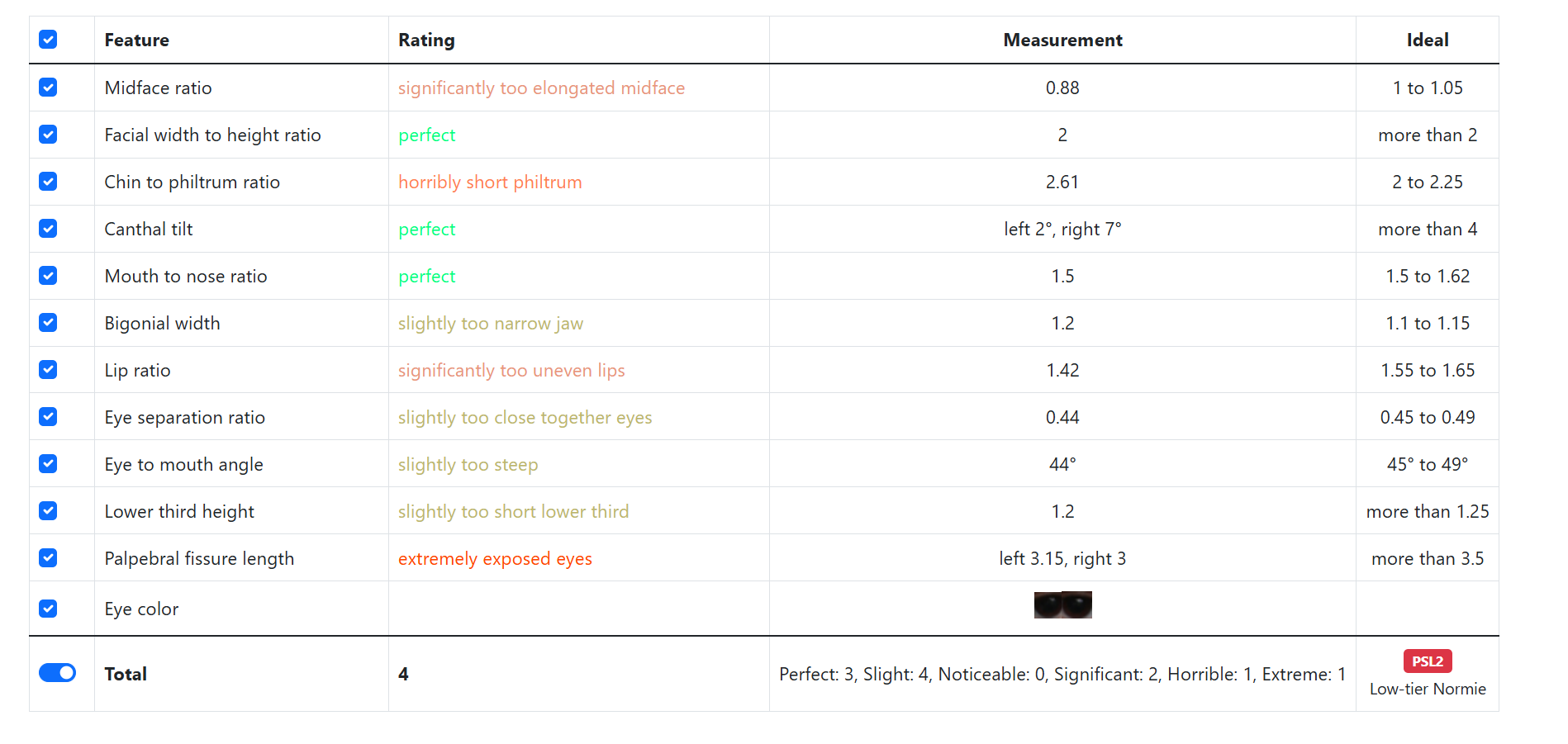
3. Incel.Solutions
https://incel.solutions/
This one is probably the most known here and is pretty good from my experience. It places the markers reliably but you can move them if they get placed wrong.
This was my first thread so don't be too harsh on me.
But first you have to know how to make a good picture to minimize lens distortion.
There are two reliable methods.
Both have to be done in natural lighting and with a natural facial expression.
Front profile:
1.With mirror
- stand 1m away from the mirror
- hold your phone upright next to your head so your camera is next to your eyes
- look into the camera through the mirror
2.Without mirror
- put 10 second timer on the back camera
- place phone on a table held against a wall or another stable structure with backcam pointed at you
- press volume button to trigger the timer (don't know if this works for androidcels)
- get 2 meters away and look into the camera
Side profile:
- basically all of the above except form a side view. I do them with a three way mirror it's way easier with it.
- beware that you shouldn't be able to see the other eyebrow that is a great indicator if you are really seeing your side profile.
Now finally to the websites
1. Ascendbase Ratios
https://ratios-calculator.ascendbase.pro/
This was made by @Dastan a while ago but I don't see it getting popular anytime soon with his marketing skills.
It doesn't place the markers for you but is the only one here where you can also measure your side profile. Beware that the overall ratio rating here tends to overrate a bit. A rating form ratio calculators is not your actual rating.(should be completely obvious but rock eaters like @comingthrough might not get that)
Here is a tutorial from Dastan himself about how use the front profile analyzer.
https://www.youtube.com/watch?v=9L6rcIIS46Q
2. Glowometry
https://glowometry.com/
This one places markers automatically but not that reliably. Only front profile tho.
You can edit the placed markers so it still makes sense to use it. This one was made by @Leon T .
3. Incel.Solutions
https://incel.solutions/
This one is probably the most known here and is pretty good from my experience. It places the markers reliably but you can move them if they get placed wrong.
@Akademik_Komarov @mohi_100 @3ahairprettyboy
This was my first thread so don't be too harsh on me.