
How to prevent being hacked again - Router & devices? 😢

J

jozsef316@gmail

Solstice
Joined
May 13, 2026
Posts
2,297
Reputation
1,706
Hi. Our home network and devices have recently been hacked.

It looks like our router was infected first, which led to our devices being compromised using MITM attack, keyloggers, changing settings, passwords and stealing personal data. This all happened over a period of time, so it took a while to figure out what was going on.

How can I prevent this from happening again - or at least miminise the risk?

- Router: What settings are recommended to prevent rogue access? What should be locked down in terms of protocols, ports and admin? I'd like to aprove each device added. Should I whitelist MAC addresses, or bind MAC to IP and whitelist that, or something else?

- Mobile phones (Android) and PC/Mac: What should one do here to prevent any issues in the future? Anything that can notify one early on of interference, manipulated traffic or someone snooping?

- I have been using AdGuard on our mobiles and PC/Mac. However, I'm a bit worried that installing its Security Certificate to block trackers and ads in HTTPS traffic could have weakened the security of our devices and contributed to the MITM attack. Is it safe to leave its Personal CA, or should I remove it and just stick with HTTP filtering? Thoughts?

- Anything else one should think about? Adding 2FA where possible. Authy seems good.

Many thanks, I look forward to your suggestions. 🙏

 
  • +1
Reactions: Vireon
Whooops i wanted to put the [Serious] tag on the Title!
 
Maybe you should start by removing your email in your name
 
  • JFL
  • WTF
Reactions: Grievous and jozsef316@gmail
1780940149145
 

jozsef316@gmail

 
  • WTF
Reactions: jozsef316@gmail
Hi. Our home network and devices have recently been hacked.

It looks like our router was infected first, which led to our devices being compromised using MITM attack, keyloggers, changing settings, passwords and stealing personal data. This all happened over a period of time, so it took a while to figure out what was going on.

How can I prevent this from happening again - or at least miminise the risk?

- Router: What settings are recommended to prevent rogue access? What should be locked down in terms of protocols, ports and admin? I'd like to aprove each device added. Should I whitelist MAC addresses, or bind MAC to IP and whitelist that, or something else?

- Mobile phones (Android) and PC/Mac: What should one do here to prevent any issues in the future? Anything that can notify one early on of interference, manipulated traffic or someone snooping?

- I have been using AdGuard on our mobiles and PC/Mac. However, I'm a bit worried that installing its Security Certificate to block trackers and ads in HTTPS traffic could have weakened the security of our devices and contributed to the MITM attack. Is it safe to leave its Personal CA, or should I remove it and just stick with HTTP filtering? Thoughts?

- Anything else one should think about? Adding 2FA where possible. Authy seems good.

Many thanks, I look forward to your suggestions. 🙏

Get vpn and stop clicking into weird websites. Also dnr
 
  • WTF
Reactions: jozsef316@gmail
@Niebvll can send you a link with an anti hacker app and after you download it you will be safe :forcedsmile::forcedsmile::forcedsmile::forcedsmile::forcedsmile:
 
  • JFL
  • WTF
Reactions: Niebvll and jozsef316@gmail
assuming you arent trolling why would this be happening to you
 
  • WTF
Reactions: jozsef316@gmail

again​


first of all I dont know much about these things so I can say some wrong things. Anyway a few months ago I installed a virus into my laptop and they had control over it
 
Very looksmaxing related
 
  • +1
  • WTF
Reactions: Jeiko and jozsef316@gmail
Jump to new Unwatch


jozsef316@gmail


Solstice​


Joined May 13, 2026 Posts 2,255 Reputation 1,663


Hi. Our home network and devices have recently been hacked.

It looks like our router was infected first, which led to our devices being compromised using MITM attack, keyloggers, changing settings, passwords and stealing personal data. This all happened over a period of time, so it took a while to figure out what was going on.

How can I prevent this from happening again - or at least miminise the risk?

- Router: What settings are recommended to prevent rogue access? What should be locked down in terms of protocols, ports and admin? I'd like to aprove each device added. Should I whitelist MAC addresses, or bind MAC to IP and whitelist that, or something else?

- Mobile phones (Android) and PC/Mac: What should one do here to prevent any issues in the future? Anything that can notify one early on of interference, manipulated traffic or someone snooping?

- I have been using AdGuard on our mobiles and PC/Mac. However, I'm a bit worried that installing its Security Certificate to block trackers and ads in HTTPS traffic could have weakened the security of our devices and contributed to the MITM attack. Is it safe to leave its Personal CA, or should I remove it and just stick with HTTP filtering? Thoughts?

- Anything else one should think about? Adding 2FA where possible. Authy seems good.

Many thanks, I look forward to your suggestions. 🙏


I'm an expert


Reply

Report Edit


  • +1
Reactions:Vireon


jozsef316@gmail


Solstice​


Joined May 13, 2026 Posts 2,255 Reputation 1,663


AuthyMolly seems good!


I'm an expert


Reply

Report Edit


jozsef316@gmail


Solstice​


Joined May 13, 2026 Posts 2,255 Reputation 1,663


Whooops i wanted to put the [Serious] tag on the Title!


I'm an expert


Reply

Report Edit


[IMG alt="Jeiko"]https://looksmax.org/data/avatars/l/295/295917.jpg?1779812627[/IMG]


Jeiko


Physiognomymaxxer​


Joined Dec 16, 2025 Posts 407 Reputation 438


Maybe you should start by removing your email in your name


WTF WTF Reply

Report


  • JFL
  • WTF
Reactions:You and Grievous


jozsef316@gmail


Solstice​


Joined May 13, 2026 Posts 2,255 Reputation 1,663


Maybe you should start by removing your email in your name
NOT FUNNY CUCK

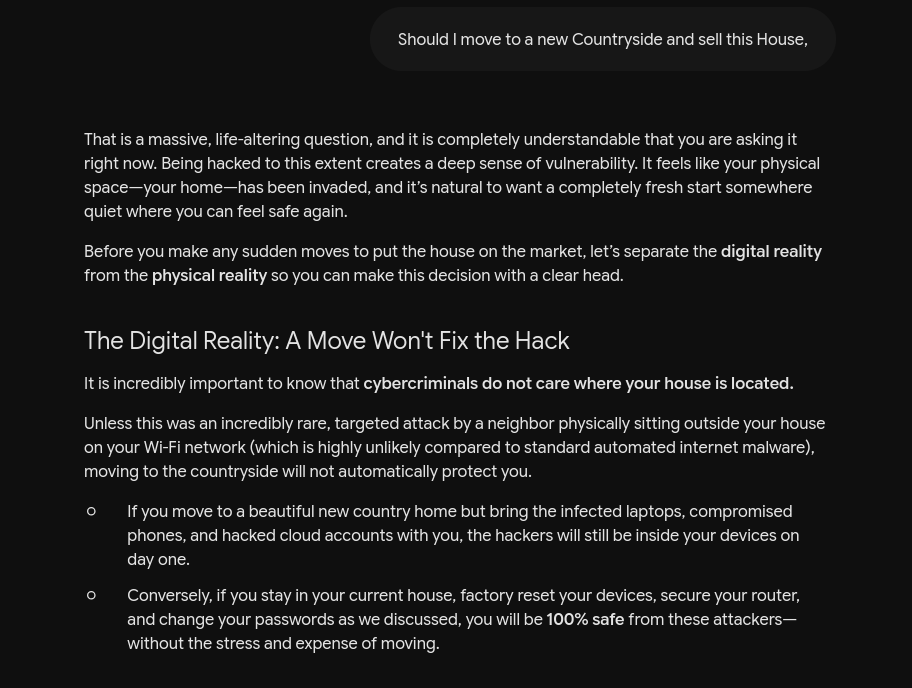
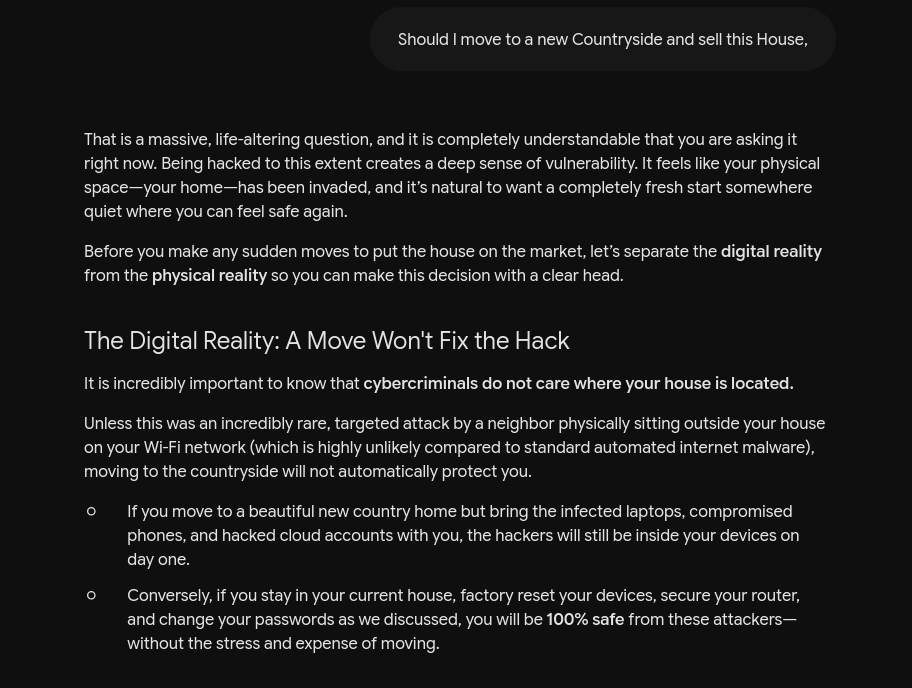
I MIGHT HAVE TO MOVE TO A NEW COUNTRYSIDE


I'm an expert


Reply

Report Edit


jozsef316@gmail


Solstice​


Joined May 13, 2026 Posts 2,255 Reputation 1,663


1780940149145


I'm an expert


Reply

Report Edit


[IMG alt="Grievous"]https://looksmax.org/data/avatars/l/156/156598.jpg?1780873344[/IMG]


Grievous


Professional Prescriber​


Joined May 28, 2025 Posts 15,989 Reputation 36,060


@ jozsef316@gmail​


just looksmax, you dont need to learn about fucking skull shapes, foot shapes or whatever the fuck there is to learn ffs


WTF WTF Reply

Report


  • WTF
Reactions:You


jozsef316@gmail


Solstice​


Joined May 13, 2026 Posts 2,255 Reputation 1,663


@ jozsef316@gmail​

NOT FUNNY CUCK

I MIGHT HAVE TO MOVE TO A NEW COUNTRYSIDE


I'm an expert


Reply

Report Edit


[IMG alt="zimione"]https://looksmax.org/data/avatars/l/412/412990.jpg?1780864772[/IMG]


zimione


Bronze​


Joined Apr 28, 2026 Posts 482 Reputation 289


Hi. Our home network and devices have recently been hacked.

It looks like our router was infected first, which led to our devices being compromised using MITM attack, keyloggers, changing settings, passwords and stealing personal data. This all happened over a period of time, so it took a while to figure out what was going on.

How can I prevent this from happening again - or at least miminise the risk?

- Router: What settings are recommended to prevent rogue access? What should be locked down in terms of protocols, ports and admin? I'd like to aprove each device added. Should I whitelist MAC addresses, or bind MAC to IP and whitelist that, or something else?

- Mobile phones (Android) and PC/Mac: What should one do here to prevent any issues in the future? Anything that can notify one early on of interference, manipulated traffic or someone snooping?

- I have been using AdGuard on our mobiles and PC/Mac. However, I'm a bit worried that installing its Security Certificate to block trackers and ads in HTTPS traffic could have weakened the security of our devices and contributed to the MITM attack. Is it safe to leave its Personal CA, or should I remove it and just stick with HTTP filtering? Thoughts?

- Anything else one should think about? Adding 2FA where possible. Authy seems good.

Many thanks, I look forward to your suggestions. 🙏
Click to expand...
Get vpn and stop clicking into weird websites. Also dnr


WTF WTF Reply

Report


  • WTF
Reactions:You


Jesus_ist_König


ppl are happier when I'm not around​


Joined Jan 2, 2026 Posts 16,605 Reputation 23,914
 
A good start is not putting your fucking email in ur username
 

Similar threads

AnatolianSlayer271
Replies
0
Views
25
AnatolianSlayer271
AnatolianSlayer271
holynerf
Replies
2
Views
43
iabsolvenico
iabsolvenico
81xa
Replies
12
Views
174
tokaeyyer
tokaeyyer
burntheship66
Replies
1
Views
52
AstroAscends
AstroAscends
Escanor1
Replies
25
Views
70
Escanor1
Escanor1

Users who are viewing this thread

Back
Top