



Jason Voorhees

𝕸𝖊𝖗𝖈𝖊𝖓𝖆𝖗𝖞 𝕮𝖔𝖗𝖕 • 𝟐𝟎𝟐𝟒🥇
- Joined
- May 15, 2020
- Posts
- 95,330
- Reputation
- 289,615
Option 1 Mac Studio setup
Buy the Mac studio. Specifically the Max or Ultra chip with as much memory as you can afford. This is the easiest, cheapest and set and forget setup
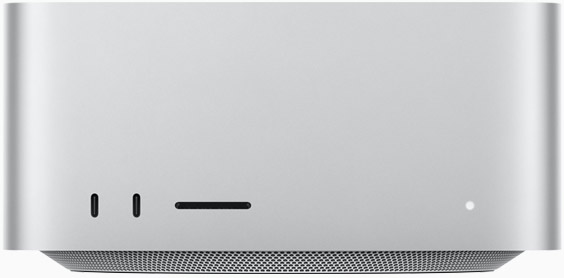
On a Mac Studio with 192GB or 256GB of unified memory, the GPU can access a lot of memory. This allows you to run massive Large Language Models like Llama-3 70B or Gemma 4 31B entirely on chip.
You also run a high quantization Llama-3 405B. At 4 bit quantization if my math is correct should be around 230GB of VRAM which is basically as good as ChatGPT-4 but it will be slow. 1-2 tokens per second almost the same speed as fast human typing so it's slow but the Main advantage is you can get a very decent setup for $4-5k and run complex models that can do coding, math and don't hallucinate as much
Option 2 Nvidia AI setup
If you want the absolute best performance possible and also plan to do AI training. You want something that is bullet proof. Then one or multiple RTX 5090. Besides being a gaming beast it is also extremely capable in AI workloads. In fact in startups and many low budget workflows they only use RTX 5090s for everything.
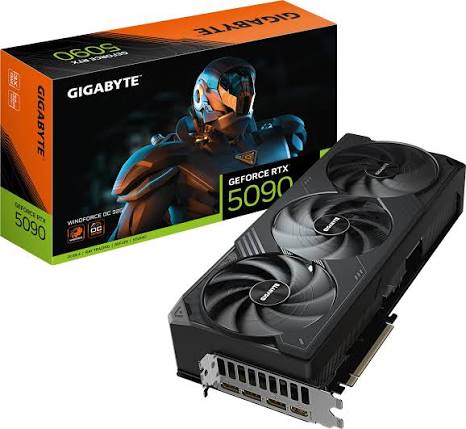
Almost every Al research paper and library PyTorch, TensorFlow is written for NVIDIA/CUDA first. GDDR7 memory provides insane bandwidth you generate images and get tokens within seconds and is in 2026 the industry norm.
There's another variant of this called RTX 6000 Ada or the newer Pro 6000 . Big advantage of this GPU besided more VRAM is Error correction memory which is super important if you are doing serious stuff. You can run this GPU at 100% for months and it won't crash which is great for AI training and fine tuning but it only makes sense to buy this GPU if you are doing AI research work and your work makes you money. It alsp costs as much as a car. Like $10k each.
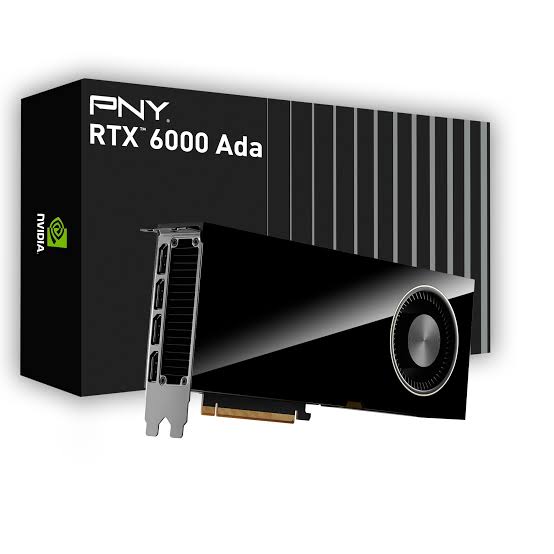
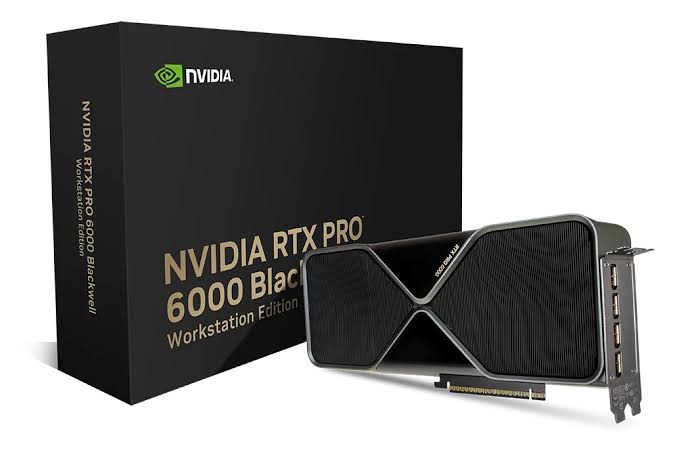
Problem with this setup is that they stupid expensive and at 32-48GB, you are effectively locked out of the most intelligent models unless you use heavy distillation or multiple cards.
You are limited to 8B to 30B still very powerful but the not the full ChatGPT replacement unless you spend $15k+ on multiple GPUs.
Local LLM models recommendation for each setup
For Mac Studio with 128-256 gb vram
As I said Llama-3 405B with 4 bit quantization is the best for general usecase imo.

You can also run Command R+ and DeepSeek-V3 / R1 mixture of experts but I would stick to Llama because these are more specialized model for specific use cases.
Image and Video Generation models. I know why most of you nighas want to run local LLMs. It is to generate AI porn. For image generation mac studio is decent but not ideal. For generation of pixels you need TFLOPS
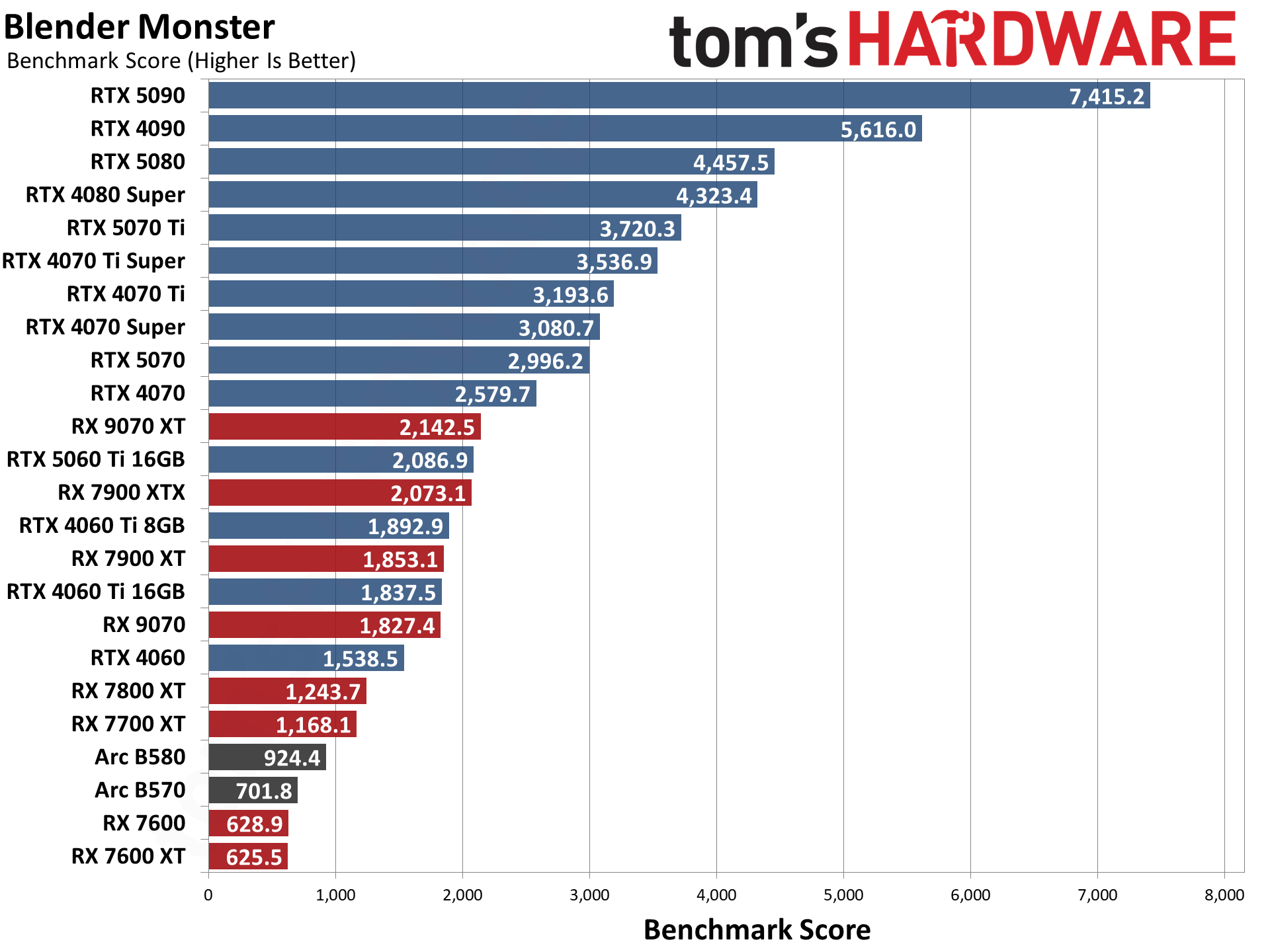
and everything like I said is optimized for CUDA and apple uses META which is completely different architecture
so mac studio tries to cope by trying to imitate what nvidia card does through a bunch of complex
processes that I won't get into but the result is long wait times like 30-50 seconds per image. The gold standard rn for images is Flux and for videos it's a nightmare even a 5 second video can take 10-20 minutes on Kling local. If you are on a Mac, you should also look for MLX versions of models on Hugging Face.
 kling.ai
For the Nvidia setup with 32-48 GB RAM
Gemma 4 31B. Released just last month. Somehow very few people I think because it got overshadowed by the Gemini-4 release rumours but it's Google's local masterpiece.

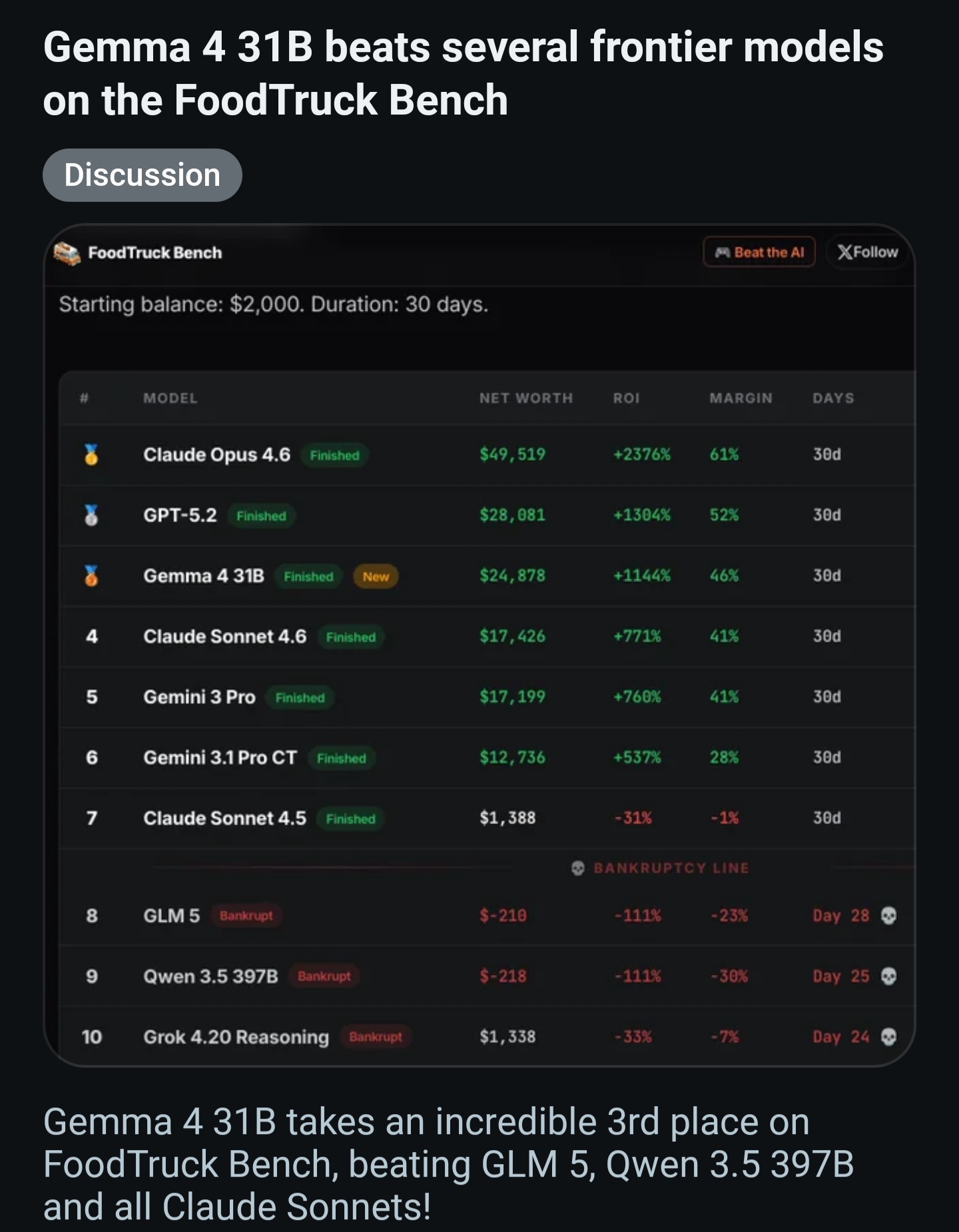
On a 5090, it hits 80+ tokens per second and it demolishes Qwen and other older models. It is basically a super intelligent instant messenger. Takes full advantages of the CUDA and tensor cores to give you blazing fast speed and is extremely good for a model that is only 31B parameters.
And for Image and video Generation. This is where Nvidia and Cuda environment earns it's price tag. same Flux image takes 1.5-3 seconds that's it. You can run also run a brand new thing in the market called Real-time SDXL where the image changes as you type the prompt which is super cool.
For Video Generation. Most models are trained and built specifically for Cuda so nvidia again shines here. A 5-second video clip renders in under 60 seconds.
Only problem is you can't get too much detail without spending a shit ton of money. Like you can't generate an 8k picture without running out of memory
If you tech savvy and understand AI on software level or you are an AI engineer. I also encourage you to fiddle on GGUF files and also do some fine tuning to make the AI behave exactly as you want. Even I'm learning about these things and experimenting but be very careful because you can give the AI a lobotomy easily.
For the ultimate baller setup. You can use both Max studio and the Nvidia GPU. This was a pipe dream since forever but Just a few weeks back a company called Tiny Corp released officially signed drivers (TinyGPU) that allow Apple Silicon Macs to talk to NVIDIA GPUs over Thunderbolt 4/5. So you get the best of both world. Only con is the bandwidth. Thunderbolt is fast but it's still slower than a PCIe but still much better than using metal.
P.S Two more cons I forgot to mention. Mac studio is very efficient barely sips like 230-250W even on full load, is dead silent and doesn't get too hot. Nvidia setup is the opposite you easily would need something like 1600W PSU or something to run them. If you live in Europe or in those older houses in america or apartments, a 1600W PC plus a monitor, a fridge on the same circuit will trip the breaker and give you a massive electricity bill. One more thing is that the fans will ramp up to 100% AI inference is intensive and is a sustained heavy load unlike gaming which is spikes, your PC will sound like a jet engine taking off and your PC and even the room it is in, will get hotter. My mum always yells at me every time I turn it on. Just something to keep in mind if you live with someone or have a small room or something.
Buy the Mac studio. Specifically the Max or Ultra chip with as much memory as you can afford. This is the easiest, cheapest and set and forget setup
On a Mac Studio with 192GB or 256GB of unified memory, the GPU can access a lot of memory. This allows you to run massive Large Language Models like Llama-3 70B or Gemma 4 31B entirely on chip.
You also run a high quantization Llama-3 405B. At 4 bit quantization if my math is correct should be around 230GB of VRAM which is basically as good as ChatGPT-4 but it will be slow. 1-2 tokens per second almost the same speed as fast human typing so it's slow but the Main advantage is you can get a very decent setup for $4-5k and run complex models that can do coding, math and don't hallucinate as much
Option 2 Nvidia AI setup
If you want the absolute best performance possible and also plan to do AI training. You want something that is bullet proof. Then one or multiple RTX 5090. Besides being a gaming beast it is also extremely capable in AI workloads. In fact in startups and many low budget workflows they only use RTX 5090s for everything.
Almost every Al research paper and library PyTorch, TensorFlow is written for NVIDIA/CUDA first. GDDR7 memory provides insane bandwidth you generate images and get tokens within seconds and is in 2026 the industry norm.
There's another variant of this called RTX 6000 Ada or the newer Pro 6000 . Big advantage of this GPU besided more VRAM is Error correction memory which is super important if you are doing serious stuff. You can run this GPU at 100% for months and it won't crash which is great for AI training and fine tuning but it only makes sense to buy this GPU if you are doing AI research work and your work makes you money. It alsp costs as much as a car. Like $10k each.
Problem with this setup is that they stupid expensive and at 32-48GB, you are effectively locked out of the most intelligent models unless you use heavy distillation or multiple cards.
You are limited to 8B to 30B still very powerful but the not the full ChatGPT replacement unless you spend $15k+ on multiple GPUs.
Local LLM models recommendation for each setup
For Mac Studio with 128-256 gb vram
meta-llama/Llama-3.1-405B · Hugging Face
We’re on a journey to advance and democratize artificial intelligence through open source and open science.
huggingface.co
As I said Llama-3 405B with 4 bit quantization is the best for general usecase imo.
CohereLabs/c4ai-command-r-plus · Hugging Face
We’re on a journey to advance and democratize artificial intelligence through open source and open science.
huggingface.co
deepseek-ai/DeepSeek-R1 · Hugging Face
We’re on a journey to advance and democratize artificial intelligence through open source and open science.
huggingface.co
You can also run Command R+ and DeepSeek-V3 / R1 mixture of experts but I would stick to Llama because these are more specialized model for specific use cases.
black-forest-labs/FLUX.1-schnell · Hugging Face
We’re on a journey to advance and democratize artificial intelligence through open source and open science.
huggingface.co
Image and Video Generation models. I know why most of you nighas want to run local LLMs. It is to generate AI porn. For image generation mac studio is decent but not ideal. For generation of pixels you need TFLOPS
and everything like I said is optimized for CUDA and apple uses META which is completely different architecture
so mac studio tries to cope by trying to imitate what nvidia card does through a bunch of complex
processes that I won't get into but the result is long wait times like 30-50 seconds per image. The gold standard rn for images is Flux and for videos it's a nightmare even a 5 second video can take 10-20 minutes on Kling local. If you are on a Mac, you should also look for MLX versions of models on Hugging Face.
Kling AI: Next-Generation AI Creative Studio
Create professional videos and images with Kling AI's state-of-the-art generative AI platform. Our tools support video generation, image creation, and advanced editing capabilities for content creators.
For the Nvidia setup with 32-48 GB RAM
Gemma 4 31B. Released just last month. Somehow very few people I think because it got overshadowed by the Gemini-4 release rumours but it's Google's local masterpiece.
google/gemma-4-31B · Hugging Face
We’re on a journey to advance and democratize artificial intelligence through open source and open science.
huggingface.co
On a 5090, it hits 80+ tokens per second and it demolishes Qwen and other older models. It is basically a super intelligent instant messenger. Takes full advantages of the CUDA and tensor cores to give you blazing fast speed and is extremely good for a model that is only 31B parameters.
And for Image and video Generation. This is where Nvidia and Cuda environment earns it's price tag. same Flux image takes 1.5-3 seconds that's it. You can run also run a brand new thing in the market called Real-time SDXL where the image changes as you type the prompt which is super cool.
For Video Generation. Most models are trained and built specifically for Cuda so nvidia again shines here. A 5-second video clip renders in under 60 seconds.
Only problem is you can't get too much detail without spending a shit ton of money. Like you can't generate an 8k picture without running out of memory
If you tech savvy and understand AI on software level or you are an AI engineer. I also encourage you to fiddle on GGUF files and also do some fine tuning to make the AI behave exactly as you want. Even I'm learning about these things and experimenting but be very careful because you can give the AI a lobotomy easily.
For the ultimate baller setup. You can use both Max studio and the Nvidia GPU. This was a pipe dream since forever but Just a few weeks back a company called Tiny Corp released officially signed drivers (TinyGPU) that allow Apple Silicon Macs to talk to NVIDIA GPUs over Thunderbolt 4/5. So you get the best of both world. Only con is the bandwidth. Thunderbolt is fast but it's still slower than a PCIe but still much better than using metal.
P.S Two more cons I forgot to mention. Mac studio is very efficient barely sips like 230-250W even on full load, is dead silent and doesn't get too hot. Nvidia setup is the opposite you easily would need something like 1600W PSU or something to run them. If you live in Europe or in those older houses in america or apartments, a 1600W PC plus a monitor, a fridge on the same circuit will trip the breaker and give you a massive electricity bill. One more thing is that the fans will ramp up to 100% AI inference is intensive and is a sustained heavy load unlike gaming which is spikes, your PC will sound like a jet engine taking off and your PC and even the room it is in, will get hotter. My mum always yells at me every time I turn it on. Just something to keep in mind if you live with someone or have a small room or something.
Last edited: