


Bvnny.
Now working for the italians 🇮🇹
- Joined
- Jul 2, 2021
- Posts
- 10,619
- Reputation
- 14,980
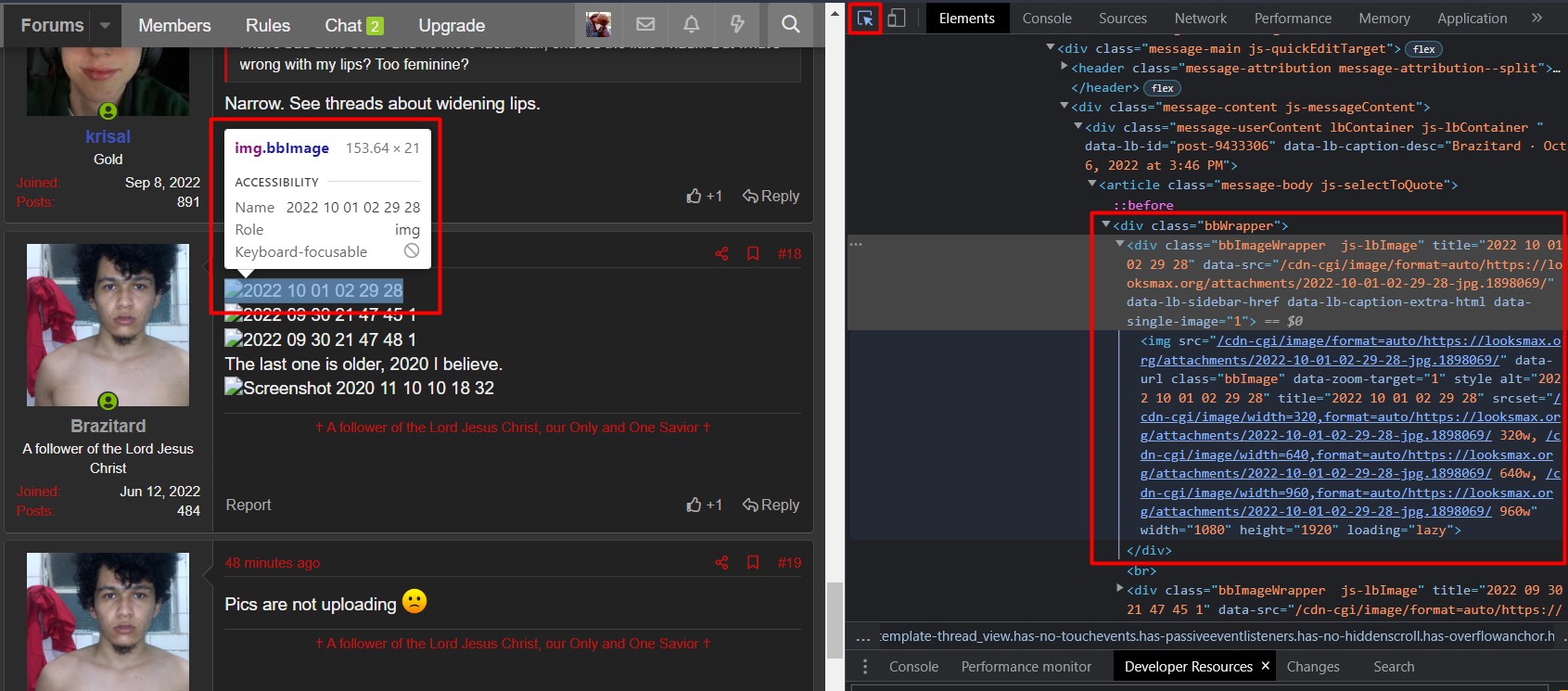
First press Ctrl + Shift + C to open your browser's task manager, then click that little icon over there and then, after that, press the image you wanna access 
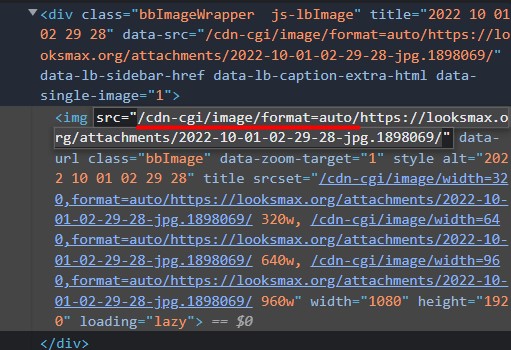
Then delete "/cdn-cgi/image/format=auto/" and copy the rest of the link (don't copy "src="" or """, just the link really)
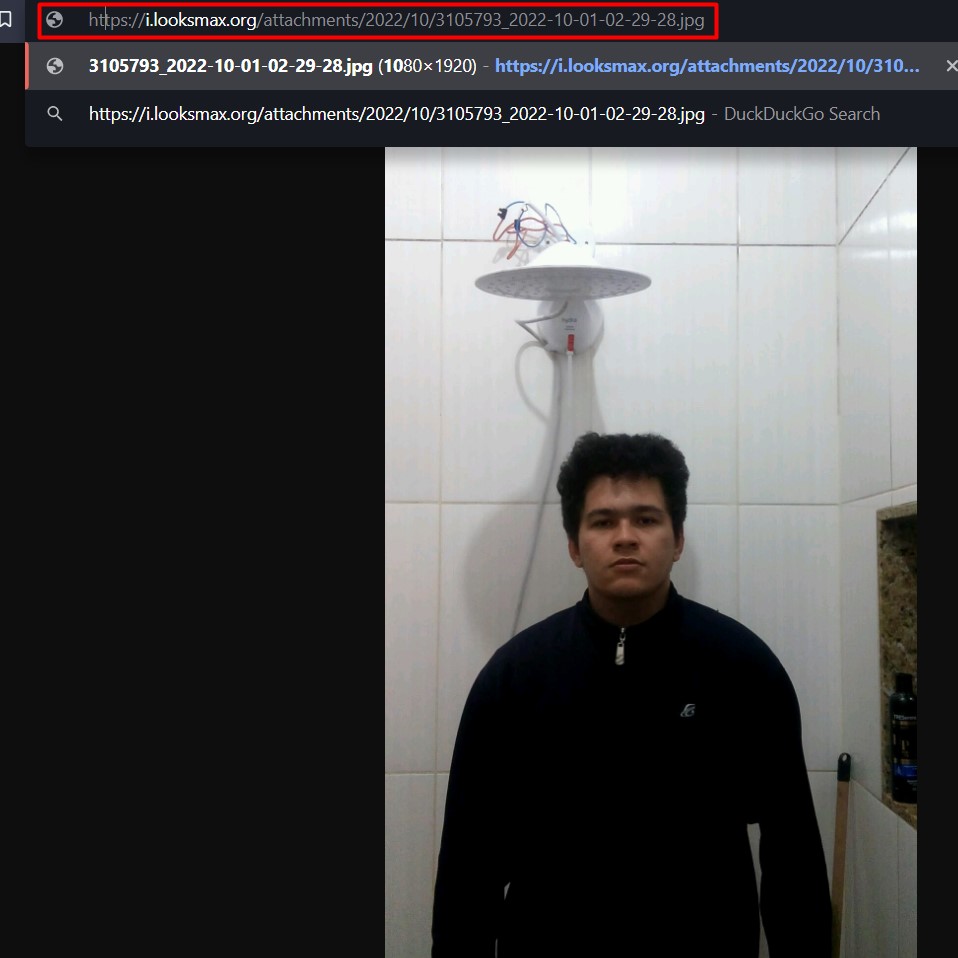
After copying the link, just paste it to a new tab for you to access the photo
I hope this tutorial was useful for some of you niggas who are dumb at computers and shit
Then delete "/cdn-cgi/image/format=auto/" and copy the rest of the link (don't copy "src="" or """, just the link really)
After copying the link, just paste it to a new tab for you to access the photo
I hope this tutorial was useful for some of you niggas who are dumb at computers and shit