


ØUROBOROS
Htn incoming.
- Joined
- Dec 25, 2025
- Posts
- 7,257
- Reputation
- 13,246
Well I have seen a lot of users don't know how for some reason so I'm here to teach you how.
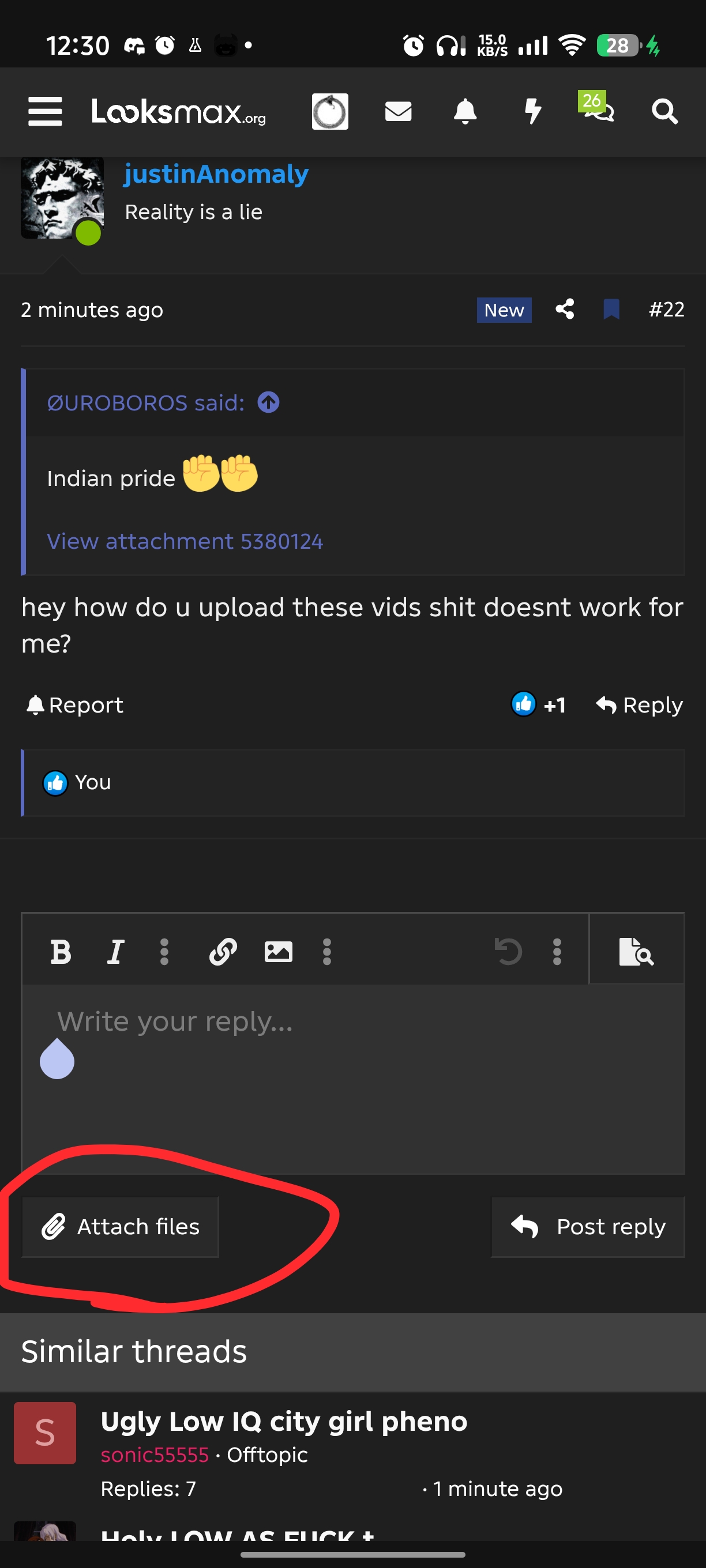
First you click on the Attach files button
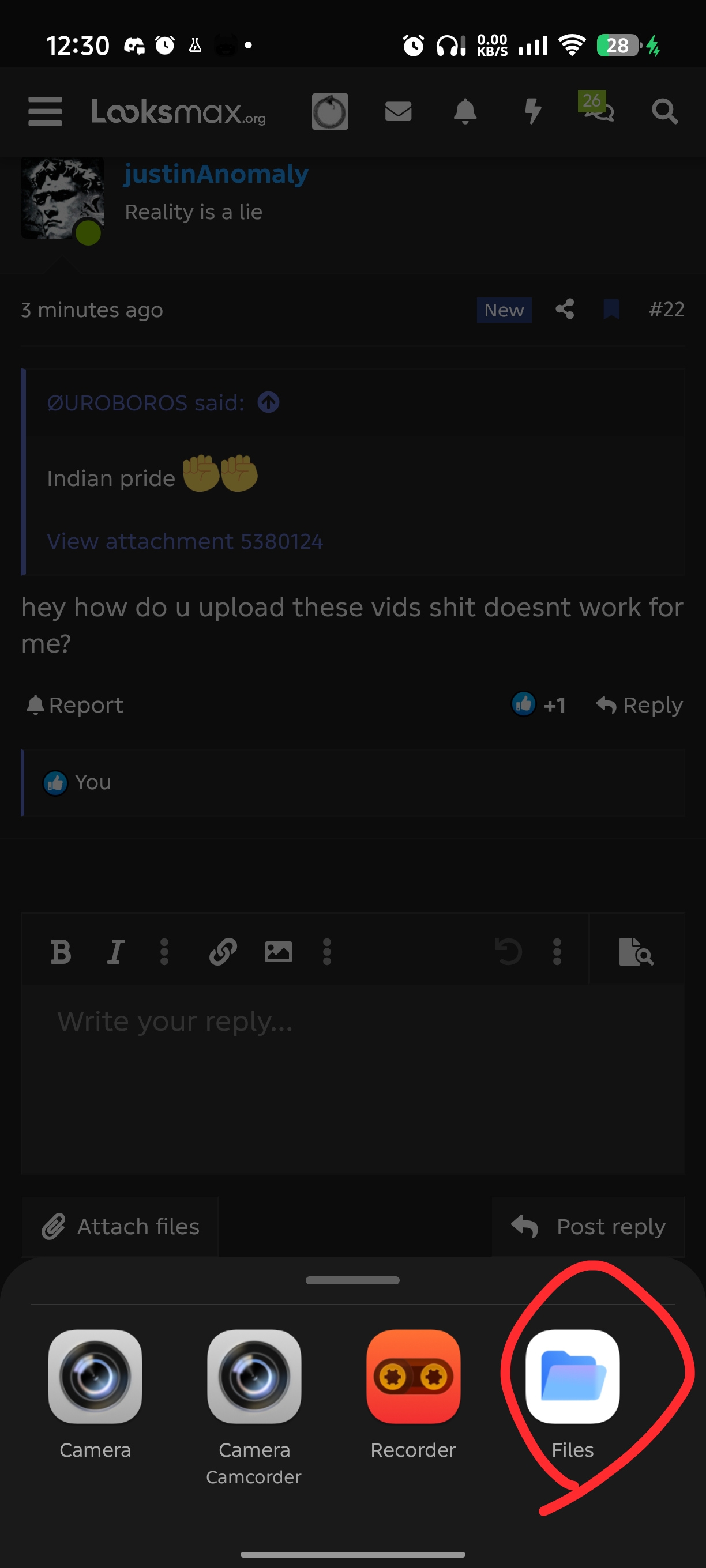
Then you click on your files app or whatever you have instead of it for videos (you can press the recorder for voice notes)
Then you press the video that you want to insert
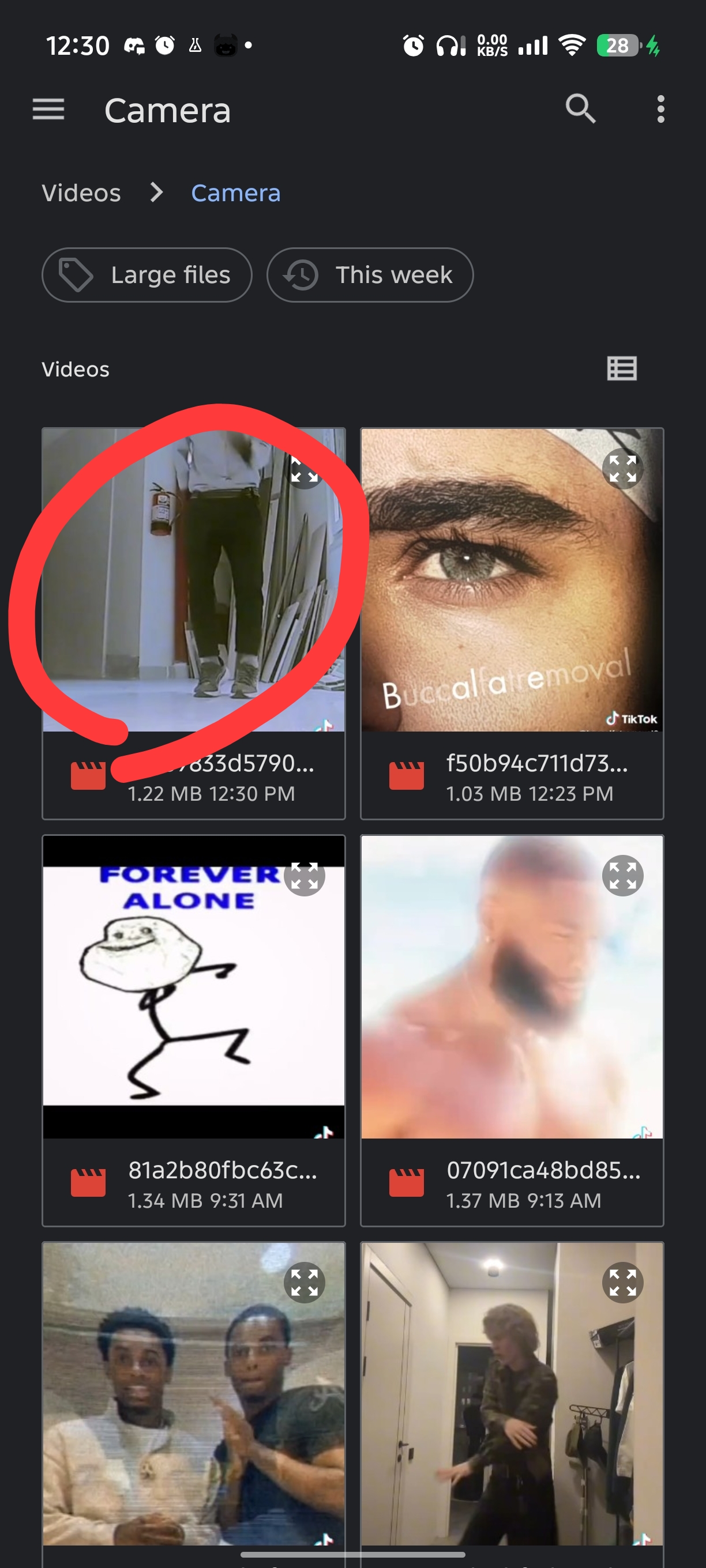
In this case I pressed the top left one (ignore all the other corny videos I have)
Then here is the most important step you press the "insert" Button so the video gets disabled normally.
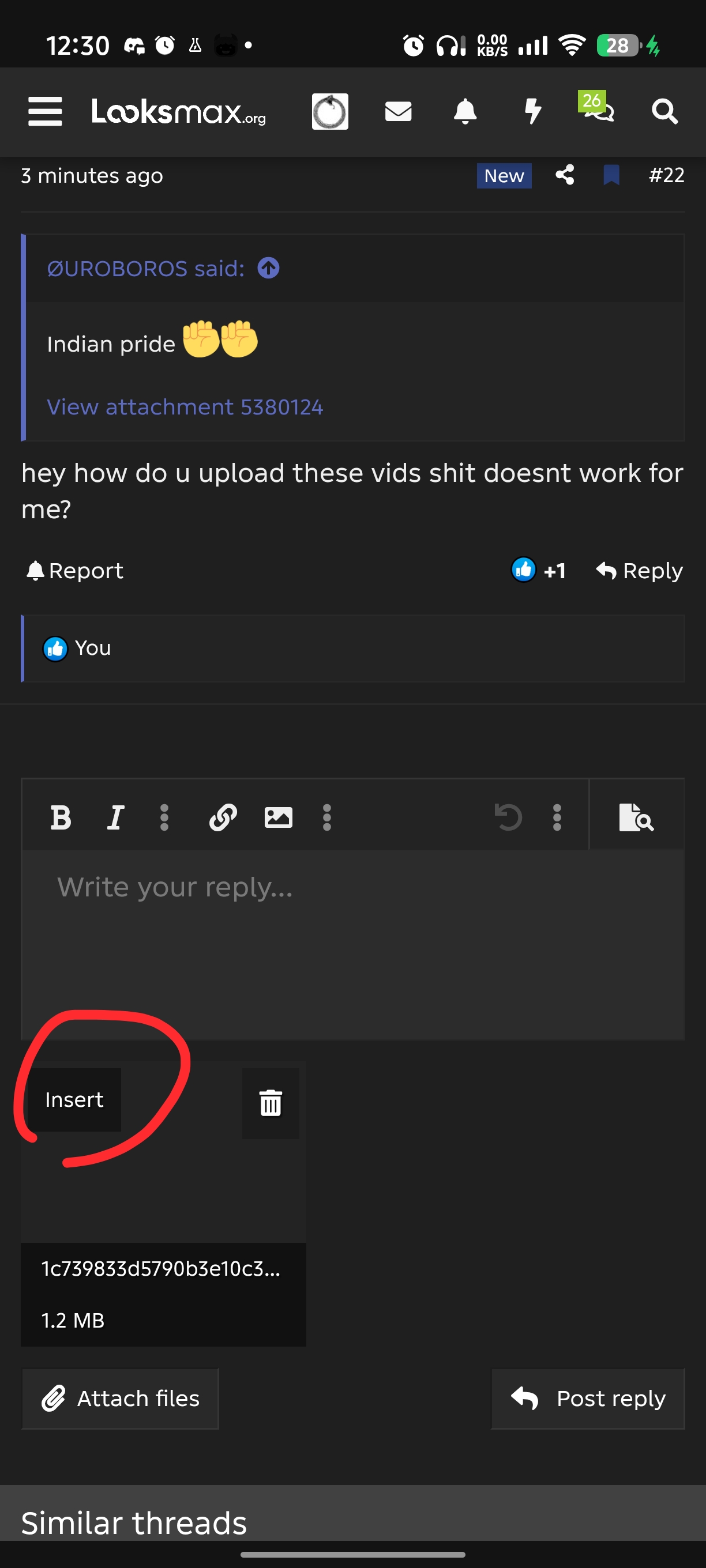
And done you inserted the video that you want and it should look like this
@justinAnomaly @Stalker @RedDragonSlayer67 @Hurly saint
First you click on the Attach files button
Then you click on your files app or whatever you have instead of it for videos (you can press the recorder for voice notes)
Then you press the video that you want to insert
In this case I pressed the top left one (ignore all the other corny videos I have)
Then here is the most important step you press the "insert" Button so the video gets disabled normally.
And done you inserted the video that you want and it should look like this
@justinAnomaly @Stalker @RedDragonSlayer67 @Hurly saint